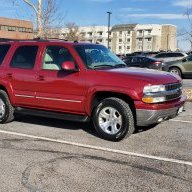
2003 GMC Yukon Denali Gauge lights not working...

Disclaimer: Links on this page pointing to Amazon, eBay and other sites may include affiliate code. If you click them and make a purchase, we may earn a small commission.

rsparrish82

TYF Newbie
Joined
Mar 2, 2026
Posts
19
Reaction score
14
Hello,

I am new to this forum but have looked it over quite a bit and have not seen anything yet that describes my situation. I recently purchased a 03 Yukon Denali for a relatively fair price, mechanically sound, exterior and interior are in great shape, all around a good purchase.

My question is this... What would cause my gauge lights to stop working? All of the other interior lights work with the dimmer switch and even the info center in the cluster along with the PRND321 work with the dimmer just fine. Just no gauge illumination all of a sudden tonight when i went to go home from work. I cannot find any specific fuses to check, and they all worked last night while i was driving with no issue. All of the gauges and warning lights/turn indicators work just fine too. I am really stumped. Any help would be greatly appreciated! Thank you!
 
Last edited:

adventurenali92

Full Access Member
Joined
Feb 16, 2015
Posts
7,722
Reaction score
9,172
Location
Big Bear Lake, ca
Usually what happens to these clusters in this generation is the backlighting that’s soldered into the electrical board inside the cluster burns out. But I haven’t seen them all go out together. Usually they start flickering one or two at a time until the bulb burns itself out. It’s a possibility but because they’re all going out at once I’d suspect an electrical connection first. Possibly a loose harness connection on the back side of the cluster. Or possibly the electrical board inside the cluster has some loose connections that could be needing a reflow of the solder joints. It could be a fuse issue but I don’t know that there’s a separate fuse for the cluster backlighting. Maybe check the fuse panel beside the steering column and then possibly the under hood fuse box. Do you have the owners manual for it? There’s a list of all the fuses, with what they go to and their locations, in the maintenance section of the owners manual. I would start with checking the harness connection at the back of the cluster first.

The dash bezel around the cluster and radio are just clip style fasteners that pop into the dash piece. The bezel can be removed by gently working each edge of the bezel lose, and then once all the clips have been released, put your column shifter down into first with the key in acc, without starting the engine, foot on the brake and parking brake set, and dropping the steering wheel all the way down. The bezel will slide up and out. There are 4 I believe either 8 or 10mm headed bolts to remove, one at each corner of the cluster, and then the cluster will slide out as well. If the connection isn’t showing any signs of being loose, or any damaged wires, then I would start looking inside the cluster. Plastic clips on the back side of the cluster keep the plastic lens held on. Pop them loose and then once the clear plastic lens is off, you can pull the gauge needles and the face with all the gauges on it off. That will give access to the bulbs, and then the back side of that center piece that keeps the lighting, has the stepper motors that run your needles around the gauges, and the electrical component board that powers the cluster.

There are lots of YouTube how-tos on pulling the cluster apart and diagnosing their issues that I found helpful when I redid all my cluster backlighting from burnt out bulbs.
 
OP
OP
rsparrish82

rsparrish82

TYF Newbie
Joined
Mar 2, 2026
Posts
19
Reaction score
14
Usually what happens to these clusters in this generation is the backlighting that’s soldered into the electrical board inside the cluster burns out. But I haven’t seen them all go out together. Usually they start flickering one or two at a time until the bulb burns itself out. It’s a possibility but because they’re all going out at once I’d suspect an electrical connection first. Possibly a loose harness connection on the back side of the cluster. Or possibly the electrical board inside the cluster has some loose connections that could be needing a reflow of the solder joints. It could be a fuse issue but I don’t know that there’s a separate fuse for the cluster backlighting. Maybe check the fuse panel beside the steering column and then possibly the under hood fuse box. Do you have the owners manual for it? There’s a list of all the fuses, with what they go to and their locations, in the maintenance section of the owners manual. I would start with checking the harness connection at the back of the cluster first.

The dash bezel around the cluster and radio are just clip style fasteners that pop into the dash piece. The bezel can be removed by gently working each edge of the bezel lose, and then once all the clips have been released, put your column shifter down into first with the key in acc, without starting the engine, foot on the brake and parking brake set, and dropping the steering wheel all the way down. The bezel will slide up and out. There are 4 I believe either 8 or 10mm headed bolts to remove, one at each corner of the cluster, and then the cluster will slide out as well. If the connection isn’t showing any signs of being loose, or any damaged wires, then I would start looking inside the cluster. Plastic clips on the back side of the cluster keep the plastic lens held on. Pop them loose and then once the clear plastic lens is off, you can pull the gauge needles and the face with all the gauges on it off. That will give access to the bulbs, and then the back side of that center piece that keeps the lighting, has the stepper motors that run your needles around the gauges, and the electrical component board that powers the cluster.

There are lots of YouTube how-tos on pulling the cluster apart and diagnosing their issues that I found helpful when I redid all my cluster backlighting from burnt out bulbs.
Thank you for the info, I will pull the cluster in the morning to check. The previous owner said that the info bar (DiC as i see it s called) will intermittently go blank, and as I have not experienced that yet, I assume I will, as I have only had it a couple of days. I dont have any means personally to reflow any solder, so I wont be able to do that part, but I will take the cluster apart and check bulbs. Would you recommend me looking into a cluster repair service or buying another one and having it reprogrammed if I cannot find anything immediately visible?
 
OP
OP
rsparrish82

rsparrish82

TYF Newbie
Joined
Mar 2, 2026
Posts
19
Reaction score
14
Okay, so here is what I found when I got the cluster out and apart. I followed a few very detailed videos on YouTube on the teardown and got down to the board. As far as i can tell all the bulbs are still good (clear glass, filaments still intact) So i am guessing at this point it has definitely to do with solder joints or resistors on the board (as i saw mentioned in one of the videos). There is another 03 Denali at my local pick n pull that i was going to go check out anyways on Friday, so maybe i should pull the cluster from that as well and try and do a swap and see if in fact it the cluster board itself is bad or something else, so i don't have to immediately resort to sending mine out for repair. If it does work, I will find a reputable place to reprogram the "new" one.

i do have the owner's manual, and did some google searching as well, and there in fact, is no separate fuse for the cluster illumination that i could find, it all seems to be tied in to the electrical system and controlled by the dimmer switch, but since the dimmer switch works for everything else including PRNDL and DIC, i think it is most likely a board issue.
 

Fless

Staff member
Moderator
Joined
Apr 2, 2017
Posts
16,282
Reaction score
33,657
Location
People's Republic of Colorado

Attachments

  • 2003-2006 Cluster Pinout.pdf
    115.3 KB · Views: 14
Last edited:

TJ Baker

Full Access Member
Joined
Mar 5, 2018
Posts
245
Reaction score
268
Location
Colorado
far as i can tell all the bulbs are still good (clear glass, filaments still intact) So i am guessing at this point it has definitely to do with solder joints or resistors on the board


Given any thought to just applying the power and ground to this circuit to see if it lights?

12 volts DC positive to terminal A11 and ground to terminal A12.

FWIW, there are 2 separate dimming circuits that are adjusted with the dimming switch. Both of these circuits are supplied by the BCM. One is for incandescent bulbs and the other is for LED lamps.

Further, the PRND321 and Odometer lighting is not using either one of those two aforementioned dimming power circuits. The BCM transmits an interior lighting dimming level instruction as a message on the Class II serial data bus. The cluster uses this instructional message to set the brightness level of those 2 cluster displays.
 
OP
OP
rsparrish82

rsparrish82

TYF Newbie
Joined
Mar 2, 2026
Posts
19
Reaction score
14
Given any thought to just applying the power and ground to this circuit to see if it lights?

12 volts DC positive to terminal A11 and ground to terminal A12.

FWIW, there are 2 separate dimming circuits that are adjusted with the dimming switch. Both of these circuits are supplied by the BCM. One is for incandescent bulbs and the other is for LED lamps.

Further, the PRND321 and Odometer lighting is not using either one of those two aforementioned dimming power circuits. The BCM transmits an interior lighting dimming level instruction as a message on the Class II serial data bus. The cluster uses this instructional message to set the brightness level of those 2 cluster displays.
Alright, I will have to dig into that this weekend. If in fact the cluster gets power and I am able to get it to illuminate, would you think that the BCM is an issue? I have already encountered the "rear access open" message once and tried a quick fix that involved unplugging the connector from the BCM and plugging it back in firmly, and so far for the last two days that message has not come back. I am beginning to suspect the BCM might be the cause after this recent information. Very fortunate to have this resource of great minds and experience. Thank you all!
 
OP
OP
rsparrish82

rsparrish82

TYF Newbie
Joined
Mar 2, 2026
Posts
19
Reaction score
14
Given any thought to just applying the power and ground to this circuit to see if it lights?

12 volts DC positive to terminal A11 and ground to terminal A12.

FWIW, there are 2 separate dimming circuits that are adjusted with the dimming switch. Both of these circuits are supplied by the BCM. One is for incandescent bulbs and the other is for LED lamps.

Further, the PRND321 and Odometer lighting is not using either one of those two aforementioned dimming power circuits. The BCM transmits an interior lighting dimming level instruction as a message on the Class II serial data bus. The cluster uses this instructional message to set the brightness level of those 2 cluster displays.
Alright, had some time today, so since I needed (well...really wanted I should say) to replace the headlight switch since all the lights inside it were dead, I replaced that and still no gauge illumination, so since I had the dash out i pulled the cluster and applied power and ground to the aforementioned pins, and nothing.. so at this point I am pretty sure its gonna be a reprogrammed junk yard cluster or a reman service. Which is fine since everything else works, i have a mini rechargeable led light i just have been leaning against the cluster at night until I can get it fixed. On to the other electrical gremlins (rear access open message and lights come on while driving.. wiggling the plug at the bcm makes them go out so i suspect bcm for that since it goes away.. but wont know for sure until I can test the pins on the latches themselves for resistance.. and then I know i need a drivers side door latch since it does not cut power all the time when the drivers door is open, but auto locks work (lock at speed, and unlock in park, and they work with the fob as well just fine)..

Good thing I only paid 3k for it.
 
Last edited:
OP
OP
rsparrish82

rsparrish82

TYF Newbie
Joined
Mar 2, 2026
Posts
19
Reaction score
14
Just a thought, and let me know what you all think... SO.. I am pretty sure now that the BCM is causing another issue I have (rear access open message on DIC and turns the interior lights on) and I have since watched a few videos on where to reflow the solder joints on the BCM to try and fix that issue... would it also be possible that the solder joints on the BCM that control cluster illumination be bad as well, or would that issue be more isolated to the cluster itself? I found a reputable local company that will completely rebuild my cluster for $200, which is not bad at all, but I figured I would pose that question about the solder joints because as it turns out I do know someone proficient with soldering and he said he would reflow any solder joints on the BCM if I could determine what I needed (or i should I just have him attempt to reflow all of them?) I really appreciate all the input! Thank you
 
OP
OP
rsparrish82

rsparrish82

TYF Newbie
Joined
Mar 2, 2026
Posts
19
Reaction score
14
Sorry for the delay, life kind of got in the way, as it typically does..

I have decided to send the cluster out to a local company for repair. the DIC started glitching out and some other things would happen to the cluster when it would get cold. After contacting the company, the list of symptoms i gave them they said was something very typical of a failing cluster, so they are going to repair it for $200 plus tax. So im just waiting for a good time to pull it and send it. I figured it was better to send it to someone with 20+ years of experience, not to mention a local company to fix it. I appreciate all the help on this post (and a few others i have made) for my Yukon. Here are some pix of it..
 

Attachments

  • IMG_3858.JPG
    IMG_3858.JPG
    339.2 KB · Views: 8
  • IMG_3859.JPG
    IMG_3859.JPG
    373.7 KB · Views: 10
  • IMG_3860.JPG
    IMG_3860.JPG
    309 KB · Views: 10
  • IMG_3861.JPG
    IMG_3861.JPG
    306.6 KB · Views: 8
OP
OP
rsparrish82

rsparrish82

TYF Newbie
Joined
Mar 2, 2026
Posts
19
Reaction score
14
Quick update: Cluster got back last week, and it works perfectly fine now, as new. According to the shop (Tacoma Speedometer, out of Tacoma Washington) in addition to the backlight bulbs being burnt out, and a bunch of bad solder joints, there was also some corrosion on the board that they were able to fix. They did a stellar job on my cluster, and were very prompt with the repair. The price was also very reasonable compared to any alternative i was researching as well. I would definitely recommend them if you need. It is so nice to be able to see it at night.

Off to the next project.. which i have another thread for, pertaining to blend door actuators. Im just working my way down the list of things.

Brakes got done as well (found one completely stuck caliper pin in the drivers rear, so new bracket, pins and rubber seals for that corner... but that was the only 'bad' part, aside from new rotors and pads.) everything else was lubed properly, and no more issues there either.
 
OP
OP
rsparrish82

rsparrish82

TYF Newbie
Joined
Mar 2, 2026
Posts
19
Reaction score
14
So did they replace the backlight bulbs with incandescent, or with LEDs?
I think standard incandescent. I did ask about the LED bulbs but i dont think i asked in time before they had them changed already. Im not too worried about it. I asked late in the process instead of at the beginning before i sent out the cluster. The colors still look nice and bright though. Once they start to die off again, i will get the LED's
 

Forum statistics

Threads
137,710
Posts
1,990,173
Members
102,701
Latest member
vsaravia
Back
Top