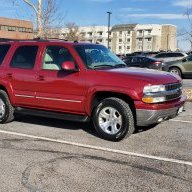
I found a way to use my rear entertainment through my phone. Now watching TV

Disclaimer: Links on this page pointing to Amazon, eBay and other sites may include affiliate code. If you click them and make a purchase, we may earn a small commission.

djsassan

Full Access Member
Joined
Jan 3, 2023
Posts
107
Reaction score
87
I am OSU guy and travel to most away games. It's a great experience but we also miss other games while traveling. Hence, I was looking for a way to use the rear entertainment for TV so we could watch/listen to other games.

I found this: Warrky USB C to HDMI Cable 4K... https://www.amazon.com/dp/B087213LB3?ref=ppx_pop_mob_ap_share


Hooked it up, switched input to HDMI 1, and it replicates my phone screen. Opened my TV app and voila, watching sports on the rear entertainment. Replicate to the second screen OR get a second cable and watch two different screens.

Nothing amazing, but hope it helps someone!

 

Baja_Bob

Full Access Member
Joined
Jan 21, 2022
Posts
300
Reaction score
159
Location
Michigan
I used to have the Onstar data plan with a fire stick but realized the connection isn't reliable in all areas, but I'll try this.
 

RST Dana

Elite Member
EMT/First Responder Firefighter Supporting Member
Joined
Jan 15, 2018
Posts
1,980
Reaction score
1,862
Location
OH
iPhones don’t use usb c in current production models. So what phone did you connect with this cable?
 

Doubeleive

Wes
Supporting Member
Joined
Nov 7, 2017
Posts
30,563
Reaction score
48,043
Location
Stockton, Ca.
typically with any "modern" smart phone, tablet, ipod, ipad, etc regardless of brand you can get video adapters, those have been around forever like literally.
the issue that can arise is depending on what you are "casting" (this is the terminology for what you are doing be it wired or wireless) is that sometimes
"protected data" will not be able to be casted, for instance if you rented a movie and expect to go "cast" the movie to a bigger screen it may or may not allow it.
they do this the same as they do with HDMI copy protection
 

RST Dana

Elite Member
EMT/First Responder Firefighter Supporting Member
Joined
Jan 15, 2018
Posts
1,980
Reaction score
1,862
Location
OH
typically with any "modern" smart phone, tablet, ipod, ipad, etc regardless of brand you can get video adapters, those have been around forever like literally.
the issue that can arise is depending on what you are "casting" (this is the terminology for what you are doing be it wired or wireless) is that sometimes
"protected data" will not be able to be casted, for instance if you rented a movie and expect to go "cast" the movie to a bigger screen it may or may not allow it.
they do this the same as they do with HDMI copy protection
If you have the right tools and connection, stored videos should play without issue. The biggest issue being, the right tools may NOT include Apple devices easily,,,,
 

Doubeleive

Wes
Supporting Member
Joined
Nov 7, 2017
Posts
30,563
Reaction score
48,043
Location
Stockton, Ca.
If you have the right tools and connection, stored videos should play without issue. The biggest issue being, the right tools may NOT include Apple devices easily,,,,
it can really depend I have ran into it before just using a wired connection, would work on the phone but would allow any casting to another device or screen.
a device like a chromecast or whatever apple uses should allow it but might depend on what is being used to provide the movie/video, etc
i'm just saying try it out first, I rented a movie and went to go watch it and it would only work on the phone.
since then I said screw it and I download it and play it on anything I want
 

BrotriX

Member
Joined
Aug 14, 2023
Posts
67
Reaction score
9
What phone do you have that is usb-c?
None right now. I typically use an iPhone. But the connection is not particularly stable. If USB-C to HDMI through an android phone works better, I might pick up a cheap android phone for the car.
 

SeptemberC

TYF Newbie
Joined
Feb 23, 2026
Posts
4
Reaction score
0
I am OSU guy and travel to most away games. It's a great experience but we also miss other games while traveling. Hence, I was looking for a way to use the rear entertainment for TV so we could watch/listen to other games.

I found this: Warrky USB C to HDMI Cable 4K... https://www.amazon.com/dp/B087213LB3?ref=ppx_pop_mob_ap_share


Hooked it up, switched input to HDMI 1, and it replicates my phone screen. Opened my TV app and voila, watching sports on the rear entertainment. Replicate to the second screen OR get a second cable and watch two different screens.

Nothing amazing, but hope it helps someone!
What year Yukon?
 

Woned2004

TYF Newbie
Joined
Jun 9, 2026
Posts
2
Reaction score
0
I am OSU guy and travel to most away games. It's a great experience but we also miss other games while traveling. Hence, I was looking for a way to use the rear entertainment for TV so we could watch/listen to other games.

I found this: Warrky USB C to HDMI Cable 4K... https://www.amazon.com/dp/B087213LB3?ref=ppx_pop_mob_ap_share


Hooked it up, switched input to HDMI 1, and it replicates my phone screen. Opened my TV app and voila, watching sports on the rear entertainment. Replicate to the second screen OR get a second cable and watch two different screens.

Nothing amazing, but hope it helps someone!

Using my smartphone to handle all the entertainment has been a total lifesaver, just like how I recently switched to the best free tv remote app TVRem to effortlessly control my TVs at home without keeping track of physical remotes.
I have a long road trip coming up and wanted to figure out a way to keep up with games on the rear screens without relying on the built-in options. Have you had any issues with lag, overheating, or the phone battery draining while streaming for several hours?
 

Doubeleive

Wes
Supporting Member
Joined
Nov 7, 2017
Posts
30,563
Reaction score
48,043
Location
Stockton, Ca.
I have a long road trip coming up and wanted to figure out a way to keep up with games on the rear screens without relying on the built-in options. Have you had any issues with lag, overheating, or the phone battery draining while streaming for several hours?
unless you can figure out a way to get both video and charge it at the same time it's not going to "stream" for several hours. your probably better off using the phone as a hotspot of get a hotspot and use a roku stick or similar device that can connect wireless
 

RST Dana

Elite Member
EMT/First Responder Firefighter Supporting Member
Joined
Jan 15, 2018
Posts
1,980
Reaction score
1,862
Location
OH
unless you can figure out a way to get both video and charge it at the same time it's not going to "stream" for several hours. your probably better off using the phone as a hotspot of get a hotspot and use a roku stick or similar device that can connect wireless
I have this in my 21. Output goes to a rear hdmi via flat cable, mirror left to right, then control it from front screen which is connected via usb C. It will need ventilation but can be the console as long as it has plenty of space. The device can be loaded with Netflix, Apple TV, YouTube tv, WAZE, etc. WiFi can be provided by hotspot or vehicle data OR it has a slot for cellular sim if you wish.


Forum statistics

Threads
137,780
Posts
1,992,137
Members
102,777
Latest member
wwiizz
Back
Top